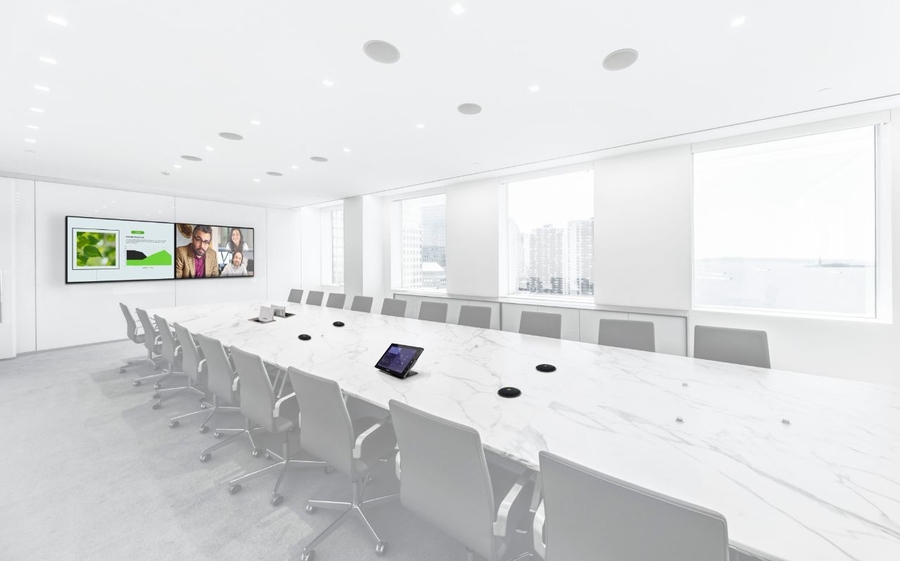


Enhance Communications with a Zoom Room Setup
Discovering the Ultimate Video Conference Solutions
A Zoom Room combines conference room software and hardware that support seamless video conference meetings. It enables starting meetings with one tap, effortless screen sharing, and room scheduling. The platform syncs speakers, microphones, cameras, video displays, digital whiteboards, and control panels into an integrated interface.
From this platform, you can manage all your AV devices and connectivity. Here, we’ll explore the basic Zoom Room setup and how it supports collaborative meetings for both in-person and remote attendees at your Newark, NJ, business.
SEE ALSO: Enhancing Your Brand with Brilliant Images & Sound
The Essentials
Some essential equipment you’ll need when setting up your Zoom Room includes:
- Microphone
- Conference Room Speaker
- Video Conferencing Camera
- Screen Display
- Laptop for Initial Setup
- Touch Controller
- Zoom Room License
- Network Connection
The size of the room and its uses will determine, to a large extent, the best-suited devices. Audio components and cameras are two of the most important features and the areas that demonstrate the biggest disruption if poorly chosen or integrated incorrectly.
Poor Acoustics
While it’s essential to see everyone clearly so no one misses those all-important facial and body cues, there’s nothing more disrupting than stopping a meeting every few minutes so someone can repeat what they just said.
One of the best microphones for crystal-clear audio is a ceiling array. Ceiling array microphones and loudspeakers work together to focus on the person talking, ensuring every word comes out accurately and reducing any background noise.
Engaged or Distracted
With the right camera, you can take advantage of some of the latest technology, such as auto-framing and speaker tracking. With the wrong camera, attendees feel like they’re watching a show instead of actively engaged.
Speaker tracking ensures the presenter or active speaker is always in focus. As the camera intelligently adjusts, it creates a more engaging meeting for all participants, including virtual attendees.
Auto-framing keeps everyone within the camera frame, providing an onsite-like experience. With 360-degree views, these smart cameras can capture every detail and keep it in focus.
The Display
Smaller displays can be used in huddle rooms. Large conference rooms and boardrooms may perform best with two large displays that provide space for presentations and viewing virtual participants. Today’s standard is 4K UHD.
Getting Setup
The initial setup requires mounting and positioning your displays, conferencing camera, audio components, control device, and computer in the correct locations. Using a professional to perform these tasks ensures optimal video and audio quality. At Alliance Telecommunications, our AV experts consider the room size, seating arrangement, acoustics and sound distribution, and sightlines.
The right camera placement avoids distorted images, creating lifelike, in-person interactions. By considering potential acoustic issues, such as reverberations and echoes, everyone can hear each other as if they were in the same room. By ensuring compatibility and effective integration and connectivity, all devices work together seamlessly.
Once all the hardware is in place, it’s time to set up your Zoom Rooms software by installing it on your control device and computer.Creating an effective Zoom Room ensures simplified control, centralized management, and an enhanced user experience. To learn more about Zoom Room setups or to schedule a complimentary consultation, contact Alliance Telecommunications today.