

5 Key Elements Of Audiovisual Systems Explained
Quick Summary
Audiovisual environments rely on several connected technologies that work together to support communication, presentations, collaboration, entertainment, and information sharing. Displays, audio equipment, microphones, control systems, and connectivity each serve specific purposes while contributing to the overall experience. Understanding these foundational elements helps organizations evaluate technology requirements, plan suitable installations, and create spaces that function effectively for their intended applications.
Modern workplaces depend on audiovisual technology for meetings, presentations, training sessions, collaboration, and communication across locations.
Understanding AV system components helps organizations recognize how individual technologies contribute to the complete audiovisual environment, from displaying information and transmitting sound to controlling equipment and connecting participants across physical and remote spaces.
The right combination of equipment depends on how a space will be used, who will operate the technology, and what communication goals the organization needs to achieve. Conference rooms, boardrooms, training areas, classrooms, auditoriums, and presentation spaces may require different configurations. Thoughtful planning is important before selecting individual technologies for installation.
Displays and Visual Presentation Technology
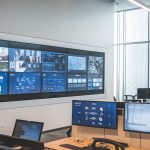
Displays create the visual foundation of many audiovisual environments. They help participants view presentations, documents, videos, dashboards, digital signage, and other types of content. Depending on the space and application, organizations may use commercial displays, projection systems, interactive panels, or larger video wall configurations to create suitable viewing experiences for different audience sizes.
Selecting visual technology requires more than evaluating screen size or resolution. Room dimensions, seating arrangements, ambient lighting, viewing distances, and content types can all influence performance. A display that works effectively in a small conference room may not meet the requirements of a large presentation space.
Proper planning helps align visual equipment with the physical characteristics and intended purpose of the room.
Audio Systems and Sound Distribution
Clear audio plays an important role in meetings, presentations, training sessions, and collaborative environments. Participants need to hear speakers and media content without unnecessary distractions.
Speakers, amplifiers, audio processors, and related equipment work together to distribute sound throughout a room while accounting for space dimensions, seating arrangements, and expected audience size.
Audio design can also involve acoustic considerations that affect how sound travels and how clearly people understand speech. Room materials, background noise, speaker placement, and microphone positioning influence the listening experience. Thoughtful audio planning helps create consistent coverage while reducing unwanted echoes, uneven volume levels, and other conditions that can make communication more difficult.
Microphones and Voice Capture
Microphones capture speech and other audio sources, so they can be amplified, recorded, transmitted, or integrated into conferencing systems. Different environments may require different microphone designs, including tabletop, ceiling-mounted, handheld, lavalier, boundary, and wireless options.
The right choice depends on room size, speaker movement, seating arrangements, presentation style, and how participants interact with the system.
Microphone placement also affects captured audio quality because distance, background noise, room acoustics, and speaker positioning can influence clarity.
In meeting spaces, properly designed microphone systems help participants communicate naturally without repeatedly adjusting equipment. Larger environments may use multiple microphones with processing equipment that manages audio levels and routes signals according to the room configuration.
Control and Management Systems
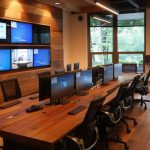
Control systems help users operate different audiovisual functions through centralized interfaces instead of managing each device separately. Touch panels, control processors, remote interfaces, and programmed controls can help users start presentations, adjust volume, switch sources, control displays, and manage conferencing functions through a more intuitive interface.
A well-designed control environment reduces the technical knowledge required for routine operation while creating consistency across frequently used spaces. Organizations with multiple meeting rooms can benefit from standardized controls that make different environments easier to operate.
The goal is not simply to add automation, but to create controls that match actual user workflows and reduce unnecessary complexity.
Connectivity and Signal Distribution
Connectivity allows audiovisual equipment to communicate with other devices and exchange audio, video, control signals, and related information.
Cabling, switching equipment, signal distribution technologies, network connections, and interface hardware all contribute to how effectively an AV environment moves content between sources and destinations.
Our approach to multimedia/audiovisual solutions treats connectivity as an integral part of the broader system rather than as a secondary consideration.
Proper planning can account for equipment locations, connection types, signal paths, network requirements, and future expansion. This method can create a more organized installation while reducing compatibility issues that could affect overall system performance.
How These Elements Work Together
Individual technologies become more valuable when they function as parts of one coordinated audiovisual environment.
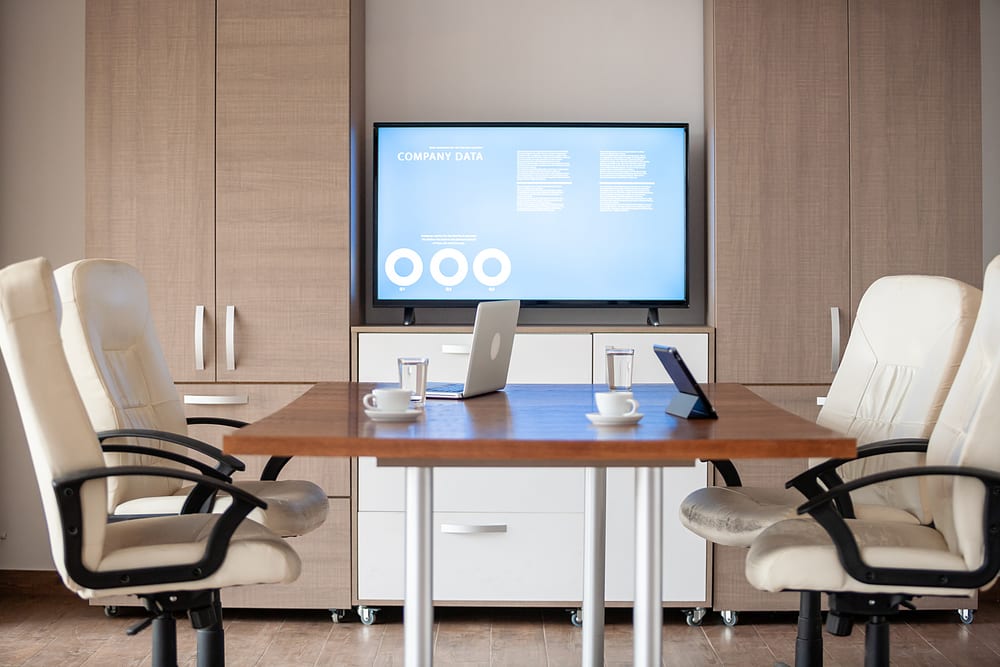
A presentation system, for example, may require a display for visual content, microphones for presenters, speakers for audio, control interfaces for operation, and connectivity for transferring information between devices. Each element has a distinct role, but their combined performance determines the overall user experience.
Integration also requires attention to compatibility and system design because equipment from different categories needs to communicate correctly. Our approach considers how components interact before installation, including signal paths, equipment placement, control requirements, network connectivity, and user workflows.
Coordinating these details creates an environment that feels straightforward to operate while meeting the technical demands of the organization.
Bringing the Five Elements Together
The five foundational elements of an audiovisual environment work together to create spaces that support communication, collaboration, presentations, and information sharing. Displays communicate visual information, audio systems distribute sound, microphones capture voices, control systems simplify operation, and connectivity links different technologies into one functional environment.
Understanding AV system components helps organizations make informed decisions when designing audiovisual spaces. Each technology contributes to the final experience, and careful coordination between these elements creates a system that matches the needs of the users and the space.
Alliance Telecommunications Contractors Inc can manage audiovisual projects as part of a broader low-voltage scope, helping organizations coordinate technology from design and planning through installation and integration. Request a quote to discuss your audiovisual requirements, room objectives, and technology needs with a knowledgeable team focused on creating a practical and connected environment.
FAQs
The main components include displays, audio equipment, microphones, control systems, and connectivity technologies that work together within an audiovisual environment.
Displays allow participants to view presentations, videos, documents, dashboards, and other visual content during meetings, training sessions, and presentations.
Microphones capture speech and other sounds, making appropriate selection and placement important for clear communication during meetings, presentations, and conferencing.
Connectivity allows different audiovisual devices to exchange signals, share content, communicate with control systems, and function together as an integrated environment.